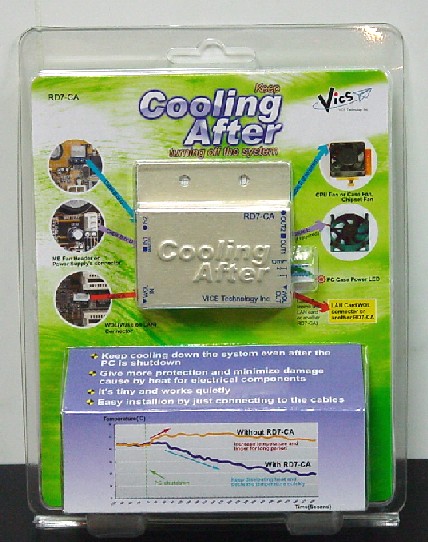
產品圖
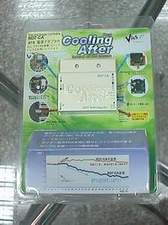
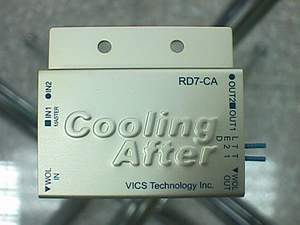
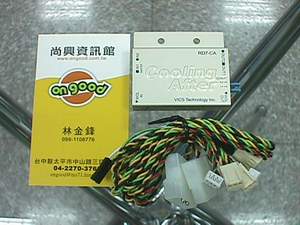
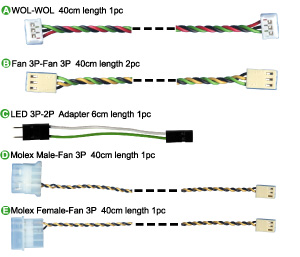
物品只有名片的1/2大小(50X52mm),共有六條線(五種線)
RD7-CA中文說明(原文IOSS,翻譯RON)
Keep cooling down the system even after the PC is shutdown
讓您的電腦在系統關機後主機持續散熱
|
Features
(特點)
|
|
|
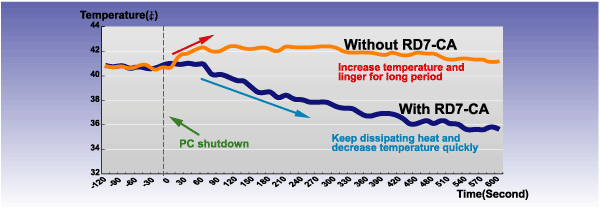
PC fan coolers are of utmost importance for computers today. It minimizes the pc temperature emitted by heat generating device during operation. The temperature inside the chassis is at a balance level while system is running. But once the system is shutdown, the fan will automatically stop causing the temperature to rise and linger for long period. 對於現今的電腦散熱風扇是非常重要的, 它有效的降低電腦所有裝置在運作中所散發的熱量, 當電腦運作中主機內的溫度是保持在一種平衡狀態, 但當電腦關機後所有的風扇也跟著停止, 此時主機內的溫度就會升高並持續一段時間
With the RD7-CA, it will keep the fan(s) from dissipating heat for a specified time once the system is shut down. The gradual cool-down protects the electrical components from any damage that a sudden shutdown may cause after normal use of pc. Overclocking at high speed may cause even worse after shutting down abruptly. RD7-CA completely cools down and minimizes the bad effects of heat to the pc. 若是主機內有安裝RD7-CA的裝置, 當系統關機後它會在設定時間內持續運轉將主機內的熱量散出, 逐漸冷卻電子零件避免關機後因熱無法散出而損壞零件, 尤其是突然間電腦突然完全停止運作, 若裝有RD7-CA就可以將熱所造成的損害降到最低 |
||
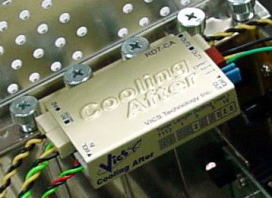 |
RD7 CA is tiny and works quietly (RD7-CA
除了體積很小外,
在運作中還很安靜)
Photo shown slot mounting method. (You may
not able to mount if card height is higher than bracket top) It also comes with Velcro tape for mounting
the device on any flat area of the PC.
Specification
(規格) |
|
|
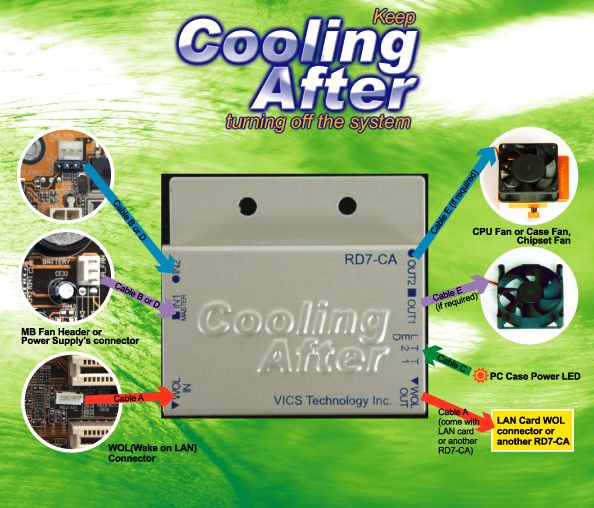
Easy Installation by just
connecting to the cables
|
||
|
Package Contents
(盒內附件)
|
||
|
Note: (注意)
This device works with standard 12V DC fan and CPU fan cooler with the
same standard voltage.. Some of the Fan which has temperature sensor inside and/or LED lamp
equipped type may stop the Fan under timer operation. To operate this device the following are needed.
|
||
資料參考網頁
| 原廠日文 http://www.ioss.com.tw/web/Japanese/RD7CA.html |
| 原廠英文 http://www.ioss.com.tw/web/English/RD7%20CA.htm |
三種購買方式
| 價位 | 方式 |
| 750元(自取) | 自取價 |
| 850元(郵寄) | 需先匯錢過來,經確認後,會馬上以貨運寄出 |
| 900元(郵寄貨到付款) | 貨到貨運人員才會跟你收900元. |
|
如需加購RD7-ATX接頭,一個70元. |
|
此產品一年保固